<?xml version="1.0" encoding="utf-8"?>
<?xml-stylesheet href="https://humbird0.com/atom.xsl" type="text/xsl"?>
<feed xmlns="http://www.w3.org/2005/Atom">

	<title>Gallery Editor Updates</title>
	<updated>2021-10-29T00:00:00Z</updated>
	<id>humbird0.com/makes/misc/gallery_editor/updates.xml</id>

	<subtitle>All updates to Gallery Editor</subtitle>
	<link rel="self" href="https://humbird0.com/makes/misc/gallery_editor/updates.xml" />
	<link rel="alternate" href="https://humbird0.com/makes/show.htm" />
	<icon>https://humbird0.com/apple-touch-icon.png</icon>
	<logo>https://humbird0.com/css/feed_logo.png</logo>
	<author>
		<name>humbird0</name>
	</author>


	<entry>
		<title>Gallery Editor</title>
		<id>tag:humbird0.com,2025-11-02T18:42:26Z:gallery-editor</id>
		<updated>2025-11-02T18:42:26Z</updated>

		<link rel="alternate" href="https://humbird0.com/makes/misc/gallery_editor/content.htm" />
		<category term="gallery-editor" />
		<summary type="html">
			&lt;div&gt;
				&lt;p&gt;
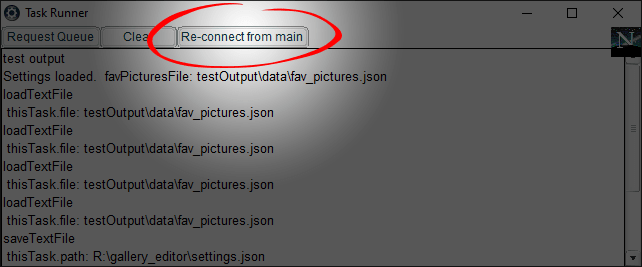
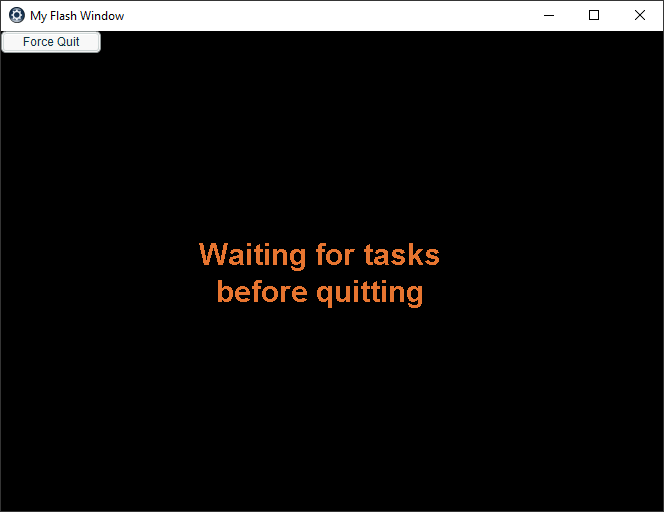
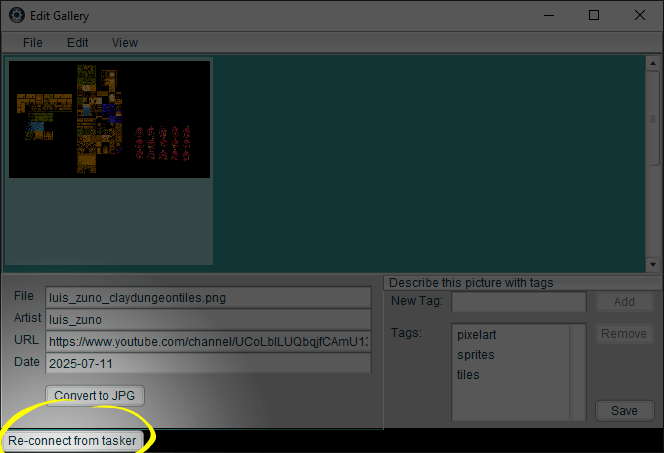
					## Bugs Fixed&lt;br /&gt;- The gallery gradually populates with pictures to avoid lag.&lt;br /&gt;- Added manual re-connect buttons to recover if lagging breask the connection between the main program and the background tasker program.&lt;br /&gt;- Widened the tasker to make debug messages easier to read.
				&lt;/p&gt;
				&lt;a href=&quot;https://humbird0.com/makes/misc/gallery_editor/updates/reconnect-button-main-program.png&quot;&gt;
					&lt;img src=&quot;https://humbird0.com/makes/misc/gallery_editor/updates/reconnect-button-main-program.png&quot; loading=&quot;lazy&quot; alt=&quot;reconnect button main program&quot; /&gt;
				&lt;/a&gt;
				&lt;a href=&quot;https://humbird0.com/makes/misc/gallery_editor/updates/reconnect-button-tasker.png&quot;&gt;
					&lt;img src=&quot;https://humbird0.com/makes/misc/gallery_editor/updates/reconnect-button-tasker.png&quot; loading=&quot;lazy&quot; alt=&quot;reconnect button tasker&quot; /&gt;
				&lt;/a&gt;
			&lt;/div&gt;
		</summary>
		<content type="xhtml">
			<div>
				<p>
					## Bugs Fixed<br />- The gallery gradually populates with pictures to avoid lag.<br />- Added manual re-connect buttons to recover if lagging breask the connection between the main program and the background tasker program.<br />- Widened the tasker to make debug messages easier to read.
				</p>
				<a href="https://humbird0.com/makes/misc/gallery_editor/updates/reconnect-button-main-program.png">
					<img src="https://humbird0.com/makes/misc/gallery_editor/updates/reconnect-button-main-program.png" loading="lazy" alt="reconnect button main program" />
				</a>
				<a href="https://humbird0.com/makes/misc/gallery_editor/updates/reconnect-button-tasker.png">
					<img src="https://humbird0.com/makes/misc/gallery_editor/updates/reconnect-button-tasker.png" loading="lazy" alt="reconnect button tasker" />
				</a>
			</div>
		</content>
	</entry>


	<entry>
		<title>Gallery Editor</title>
		<id>tag:humbird0.com,2025-09-30T18:04:22Z:gallery-editor</id>
		<updated>2025-09-30T18:04:22Z</updated>

		<link rel="alternate" href="https://humbird0.com/makes/misc/gallery_editor/content.htm" />
		<category term="gallery-editor" />
		<summary type="html">
			&lt;div&gt;
				&lt;p&gt;
					## Bugs Fixed&lt;br /&gt;- Keyboard search was not working right.&lt;br /&gt;- Program would not quit if fav_pictures.json is missing.&lt;br /&gt;- Was not reading any .URL file that was dragged in with a picture.
				&lt;/p&gt;
			&lt;/div&gt;
		</summary>
		<content type="xhtml">
			<div>
				<p>
					## Bugs Fixed<br />- Keyboard search was not working right.<br />- Program would not quit if fav_pictures.json is missing.<br />- Was not reading any .URL file that was dragged in with a picture.
				</p>
			</div>
		</content>
	</entry>


	<entry>
		<title>Gallery Editor</title>
		<id>tag:humbird0.com,2025-07-12T23:34:01Z:gallery-editor</id>
		<updated>2025-07-12T23:34:01Z</updated>

		<link rel="alternate" href="https://humbird0.com/makes/misc/gallery_editor/content.htm" />
		<category term="gallery-editor" />
		<summary type="html">
			&lt;div&gt;
				&lt;p&gt;
					That said... what it currently does is oddly specific. It copies pictures and videos into a folder and creates thumbnails for them, then it adds their filenames to a JSON file, and then runs a CMD script when you close the program. What you put in there is up to you but only programmers know how to use that stuff... I should probably figure out a simple way to spit out an HTML file that other people can just directly use on their websites.
				&lt;/p&gt;
				&lt;video muted=&quot;muted&quot; controls=&quot;controls&quot; loop=&quot;loop&quot; src=&quot;https://humbird0.com/makes/misc/gallery_editor/readme/does-things.mp4&quot; loading=&quot;lazy&quot; /&gt;
			&lt;/div&gt;
		</summary>
		<content type="xhtml">
			<div>
				<p>
					That said... what it currently does is oddly specific. It copies pictures and videos into a folder and creates thumbnails for them, then it adds their filenames to a JSON file, and then runs a CMD script when you close the program. What you put in there is up to you but only programmers know how to use that stuff... I should probably figure out a simple way to spit out an HTML file that other people can just directly use on their websites.
				</p>
				<video muted="muted" controls="controls" loop="loop" src="https://humbird0.com/makes/misc/gallery_editor/readme/does-things.mp4" loading="lazy" />
			</div>
		</content>
	</entry>


	<entry>
		<title>Gallery Editor</title>
		<id>tag:humbird0.com,2025-07-12T22:32:17Z:gallery-editor</id>
		<updated>2025-07-12T22:32:17Z</updated>

		<link rel="alternate" href="https://humbird0.com/makes/misc/gallery_editor/content.htm" />
		<category term="gallery-editor" />
		<summary type="html">
			&lt;div&gt;
				&lt;p&gt;
					I decided to keep the Netscape throbber as a busy indicator because it was fun. The retro computer style became kind of a running theme.
				&lt;/p&gt;
				&lt;a href=&quot;https://humbird0.com/makes/misc/gallery_editor/readme/retro-style.png&quot;&gt;
					&lt;img src=&quot;https://humbird0.com/makes/misc/gallery_editor/readme/retro-style.png&quot; loading=&quot;lazy&quot; alt=&quot;My program shutting down&quot; /&gt;
				&lt;/a&gt;
				&lt;a href=&quot;https://humbird0.com/makes/misc/gallery_editor/readme/retro-win98.png&quot;&gt;
					&lt;img src=&quot;https://humbird0.com/makes/misc/gallery_editor/readme/retro-win98.png&quot; loading=&quot;lazy&quot; alt=&quot;Windows 98 shutting down&quot; /&gt;
				&lt;/a&gt;
			&lt;/div&gt;
		</summary>
		<content type="xhtml">
			<div>
				<p>
					I decided to keep the Netscape throbber as a busy indicator because it was fun. The retro computer style became kind of a running theme.
				</p>
				<a href="https://humbird0.com/makes/misc/gallery_editor/readme/retro-style.png">
					<img src="https://humbird0.com/makes/misc/gallery_editor/readme/retro-style.png" loading="lazy" alt="My program shutting down" />
				</a>
				<a href="https://humbird0.com/makes/misc/gallery_editor/readme/retro-win98.png">
					<img src="https://humbird0.com/makes/misc/gallery_editor/readme/retro-win98.png" loading="lazy" alt="Windows 98 shutting down" />
				</a>
			</div>
		</content>
	</entry>


	<entry>
		<title>Gallery Editor</title>
		<id>tag:humbird0.com,2025-07-12T22:32:10Z:gallery-editor</id>
		<updated>2025-07-12T22:32:10Z</updated>

		<link rel="alternate" href="https://humbird0.com/makes/misc/gallery_editor/content.htm" />
		<category term="gallery-editor" />
		<summary type="html">
			&lt;div&gt;
				&lt;p&gt;
					To check for lag I added a Netscape throbber animation in the corner of both programs. Fun fact: This was the original purpose of browser animations. They helped you figure out if your Windows 98 computer had silently crashed and frozen up in the middle of loading a web page for 10 minutes on dial-up internet. If it was animating that meant the computer was still working.
				&lt;/p&gt;
				&lt;a href=&quot;https://humbird0.com/makes/misc/gallery_editor/readme/purpose-of-throbber.jpg&quot;&gt;
					&lt;img src=&quot;https://humbird0.com/makes/misc/gallery_editor/readme/purpose-of-throbber.jpg&quot; loading=&quot;lazy&quot; alt=&quot;purpose of throbber&quot; /&gt;
				&lt;/a&gt;
			&lt;/div&gt;
		</summary>
		<content type="xhtml">
			<div>
				<p>
					To check for lag I added a Netscape throbber animation in the corner of both programs. Fun fact: This was the original purpose of browser animations. They helped you figure out if your Windows 98 computer had silently crashed and frozen up in the middle of loading a web page for 10 minutes on dial-up internet. If it was animating that meant the computer was still working.
				</p>
				<a href="https://humbird0.com/makes/misc/gallery_editor/readme/purpose-of-throbber.jpg">
					<img src="https://humbird0.com/makes/misc/gallery_editor/readme/purpose-of-throbber.jpg" loading="lazy" alt="purpose of throbber" />
				</a>
			</div>
		</content>
	</entry>


	<entry>
		<title>Gallery Editor</title>
		<id>tag:humbird0.com,2025-07-12T22:31:51Z:gallery-editor</id>
		<updated>2025-07-12T22:31:51Z</updated>

		<link rel="alternate" href="https://humbird0.com/makes/misc/gallery_editor/content.htm" />
		<category term="gallery-editor" />
		<summary type="html">
			&lt;div&gt;
				&lt;p&gt;
					[ffprobe.exe](https://ffmpeg.org/ffprobe.html)&lt;br /&gt;: This program measures the width and height of pictures and videos. It can also read other information. It&apos;s part of the ffmpeg project.&lt;br /&gt;&lt;br /&gt;[pngquant.exe](http://pngquant.org/)&lt;br /&gt;: This program compresses PNG files into 256 colors with a full alpha channel. They&apos;re sometimes just as small as JPG files. Amazingly good for losslessly compressing pixel art. Created by [Greg Roelofs](http://www.gregroelofs.com/), [Jef Poskanzer](http://www.acme.com/jef/), [Kornel Lesiński](https://kornel.ski/about).
				&lt;/p&gt;
			&lt;/div&gt;
		</summary>
		<content type="xhtml">
			<div>
				<p>
					[ffprobe.exe](https://ffmpeg.org/ffprobe.html)<br />: This program measures the width and height of pictures and videos. It can also read other information. It's part of the ffmpeg project.<br /><br />[pngquant.exe](http://pngquant.org/)<br />: This program compresses PNG files into 256 colors with a full alpha channel. They're sometimes just as small as JPG files. Amazingly good for losslessly compressing pixel art. Created by [Greg Roelofs](http://www.gregroelofs.com/), [Jef Poskanzer](http://www.acme.com/jef/), [Kornel Lesiński](https://kornel.ski/about).
				</p>
			</div>
		</content>
	</entry>


	<entry>
		<title>Gallery Editor</title>
		<id>tag:humbird0.com,2025-07-12T22:31:36Z:gallery-editor</id>
		<updated>2025-07-12T22:31:36Z</updated>

		<link rel="alternate" href="https://humbird0.com/makes/misc/gallery_editor/content.htm" />
		<category term="gallery-editor" />
		<summary type="html">
			&lt;div&gt;
				&lt;p&gt;
					It&apos;s kind of ironic because this program relies on a bunch of DOS command-line programs that other people made to convert files and read metadata. But those are programs written by programmers for other programmers. Normal people need buttons to click on or these things will go to waste. So... what are these magical programs?&lt;br /&gt;&lt;br /&gt;[convert.exe](https://legacy.imagemagick.org/script/download.php)&lt;br /&gt;: This program converts pictures into other file formats. It comes with ImageMagick. Created by [Cristy, Dirk Lemstra, and Fred Weinhaus](https://github.com/sponsors/ImageMagick?o=esb).&lt;br /&gt;&lt;br /&gt;[exiftool.exe](https://exiftool.org/)&lt;br /&gt;: This program reads and writes metadata information embedded inside of files, such as the author name, website, keywords, and copyright info. Created by Phil Harvey.&lt;br /&gt;&lt;br /&gt;[ffmpeg.exe](https://ffmpeg.org/)&lt;br /&gt;: This program creates and converts video files. Created by a [whole bunch of people](https://ffmpeg.org/consulting.html).
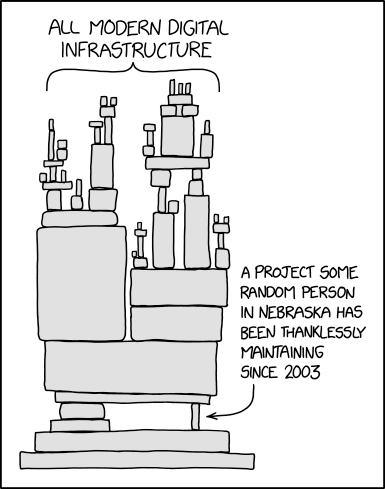
				&lt;/p&gt;
				&lt;a href=&quot;https://humbird0.com/makes/misc/gallery_editor/readme/modern-code-infrastructure.jpg&quot;&gt;
					&lt;img src=&quot;https://humbird0.com/makes/misc/gallery_editor/readme/modern-code-infrastructure.jpg&quot; loading=&quot;lazy&quot; alt=&quot;modern code infrastructure&quot; /&gt;
				&lt;/a&gt;
			&lt;/div&gt;
		</summary>
		<content type="xhtml">
			<div>
				<p>
					It's kind of ironic because this program relies on a bunch of DOS command-line programs that other people made to convert files and read metadata. But those are programs written by programmers for other programmers. Normal people need buttons to click on or these things will go to waste. So... what are these magical programs?<br /><br />[convert.exe](https://legacy.imagemagick.org/script/download.php)<br />: This program converts pictures into other file formats. It comes with ImageMagick. Created by [Cristy, Dirk Lemstra, and Fred Weinhaus](https://github.com/sponsors/ImageMagick?o=esb).<br /><br />[exiftool.exe](https://exiftool.org/)<br />: This program reads and writes metadata information embedded inside of files, such as the author name, website, keywords, and copyright info. Created by Phil Harvey.<br /><br />[ffmpeg.exe](https://ffmpeg.org/)<br />: This program creates and converts video files. Created by a [whole bunch of people](https://ffmpeg.org/consulting.html).
				</p>
				<a href="https://humbird0.com/makes/misc/gallery_editor/readme/modern-code-infrastructure.jpg">
					<img src="https://humbird0.com/makes/misc/gallery_editor/readme/modern-code-infrastructure.jpg" loading="lazy" alt="modern code infrastructure" />
				</a>
			</div>
		</content>
	</entry>


	<entry>
		<title>Gallery Editor</title>
		<id>tag:humbird0.com,2025-07-12T22:28:09Z:gallery-editor</id>
		<updated>2025-07-12T22:28:09Z</updated>

		<link rel="alternate" href="https://humbird0.com/makes/misc/gallery_editor/content.htm" />
		<category term="gallery-editor" />
		<summary type="html">
			&lt;div&gt;
				&lt;p&gt;
					&amp;#x1F9EA **Experiment 5:**  A settings editor. Nobody on Earth ever wants to edit a program&apos;s settings by hand using a text file. Nobody wants to waste time looking up what all my little words mean or how to get all the commas and quotation marks exactly right. And my pride won&apos;t let me settle for that. The original Macintosh proved that it is possible for all settings to be 100% graphical. Every program made after 1984 should always do this. There&apos;s no excuse. We figured it out. The problem is solved. I don&apos;t care how much work it takes because it&apos;s objectively the correct thing to do. It took me about 2 days to add a settings editor to my program at the very end, which isn&apos;t that long.
				&lt;/p&gt;
			&lt;/div&gt;
		</summary>
		<content type="xhtml">
			<div>
				<p>
					&amp;#x1F9EA **Experiment 5:**  A settings editor. Nobody on Earth ever wants to edit a program's settings by hand using a text file. Nobody wants to waste time looking up what all my little words mean or how to get all the commas and quotation marks exactly right. And my pride won't let me settle for that. The original Macintosh proved that it is possible for all settings to be 100% graphical. Every program made after 1984 should always do this. There's no excuse. We figured it out. The problem is solved. I don't care how much work it takes because it's objectively the correct thing to do. It took me about 2 days to add a settings editor to my program at the very end, which isn't that long.
				</p>
			</div>
		</content>
	</entry>


	<entry>
		<title>Gallery Editor</title>
		<id>tag:humbird0.com,2025-07-12T22:28:02Z:gallery-editor</id>
		<updated>2025-07-12T22:28:02Z</updated>

		<link rel="alternate" href="https://humbird0.com/makes/misc/gallery_editor/content.htm" />
		<category term="gallery-editor" />
		<summary type="html">
			&lt;div&gt;
				&lt;p&gt;
					 ... aaaaaand then after building all these things, I discovered that Flash *already* has a built-in system for handling pop-up windows. Heck it even has an &quot;Alert&quot; window that does almost exactly the same thing as the one I created. So I adjusted my code to use Flash&apos;s official system and it was... still a little janky. But it works either way.
				&lt;/p&gt;
			&lt;/div&gt;
		</summary>
		<content type="xhtml">
			<div>
				<p>
					 ... aaaaaand then after building all these things, I discovered that Flash *already* has a built-in system for handling pop-up windows. Heck it even has an "Alert" window that does almost exactly the same thing as the one I created. So I adjusted my code to use Flash's official system and it was... still a little janky. But it works either way.
				</p>
			</div>
		</content>
	</entry>


	<entry>
		<title>Gallery Editor</title>
		<id>tag:humbird0.com,2025-07-12T22:27:45Z:gallery-editor</id>
		<updated>2025-07-12T22:27:45Z</updated>

		<link rel="alternate" href="https://humbird0.com/makes/misc/gallery_editor/content.htm" />
		<category term="gallery-editor" />
		<summary type="html">
			&lt;div&gt;
				&lt;p&gt;
					&amp;#x1F9EA **Experiment 4:**  I also needed pop-up dialog windows to ask questions such as whether to replace a picture. I also needed a way to display the settings editor on top of everything in a way that blocks people from clicking buttons underneath. You take it for granted but something has to *cause* that to happen. One way to do this in Flash is to overlap everything with a giant transparent MovieClip with an onPress() reaction that eats mouse clicks. But my gallery manually detects mouse-clicks directly from the Mouse system, so I also programmed it to react to windows and drop-down menus being opened and closed so that it can deactivate itself. The question pop-up needed to display a message, an icon, Yes and No buttons, a way to report which button was clicked, and have a close button for cancelling *(in case the user isn&apos;t sure what to choose)*
				&lt;/p&gt;
			&lt;/div&gt;
		</summary>
		<content type="xhtml">
			<div>
				<p>
					&amp;#x1F9EA **Experiment 4:**  I also needed pop-up dialog windows to ask questions such as whether to replace a picture. I also needed a way to display the settings editor on top of everything in a way that blocks people from clicking buttons underneath. You take it for granted but something has to *cause* that to happen. One way to do this in Flash is to overlap everything with a giant transparent MovieClip with an onPress() reaction that eats mouse clicks. But my gallery manually detects mouse-clicks directly from the Mouse system, so I also programmed it to react to windows and drop-down menus being opened and closed so that it can deactivate itself. The question pop-up needed to display a message, an icon, Yes and No buttons, a way to report which button was clicked, and have a close button for cancelling *(in case the user isn't sure what to choose)*
				</p>
			</div>
		</content>
	</entry>


	<entry>
		<title>Gallery Editor</title>
		<id>tag:humbird0.com,2025-07-12T22:27:37Z:gallery-editor</id>
		<updated>2025-07-12T22:27:37Z</updated>

		<link rel="alternate" href="https://humbird0.com/makes/misc/gallery_editor/content.htm" />
		<category term="gallery-editor" />
		<summary type="html">
			&lt;div&gt;
				&lt;p&gt;
					So I need to create temporary placeholder thumbnails. Ideally each with a progress bar showing that picture&apos;s progress. And also figure out how to send status updates to those thumbnails as tasks get completed. There&apos;s nothing more annoying than telling a program to do something and then seeing absolutely nothing happen. You need feedback or it feels like the program is broken. Besides, I enjoyed the puzzle of figuring out how to append promises to an existing array of promises and continue waiting for that entire list of asynchronous tasks to finish, so that I can drop additional pictures into the program while it&apos;s in the middle of processing other pictures. A good program doesn&apos;t force you to wait until it&apos;s done.
				&lt;/p&gt;
			&lt;/div&gt;
		</summary>
		<content type="xhtml">
			<div>
				<p>
					So I need to create temporary placeholder thumbnails. Ideally each with a progress bar showing that picture's progress. And also figure out how to send status updates to those thumbnails as tasks get completed. There's nothing more annoying than telling a program to do something and then seeing absolutely nothing happen. You need feedback or it feels like the program is broken. Besides, I enjoyed the puzzle of figuring out how to append promises to an existing array of promises and continue waiting for that entire list of asynchronous tasks to finish, so that I can drop additional pictures into the program while it's in the middle of processing other pictures. A good program doesn't force you to wait until it's done.
				</p>
			</div>
		</content>
	</entry>


	<entry>
		<title>Gallery Editor</title>
		<id>tag:humbird0.com,2025-07-12T22:27:04Z:gallery-editor</id>
		<updated>2025-07-12T22:27:04Z</updated>

		<link rel="alternate" href="https://humbird0.com/makes/misc/gallery_editor/content.htm" />
		<category term="gallery-editor" />
		<summary type="html">
			&lt;div&gt;
				&lt;p&gt;
					&amp;#x1F9EA **Experiment 3:**  Processing multiple files at the same time. I don&apos;t just mean dragging in multiple pictures at once. Each one takes awhile to generate the thumbnail file, check the compression to figure out the ideal file format, read EXIF metadata, cross-reference the artist folder to get the website URL for known artists, etc... 
				&lt;/p&gt;
			&lt;/div&gt;
		</summary>
		<content type="xhtml">
			<div>
				<p>
					&amp;#x1F9EA **Experiment 3:**  Processing multiple files at the same time. I don't just mean dragging in multiple pictures at once. Each one takes awhile to generate the thumbnail file, check the compression to figure out the ideal file format, read EXIF metadata, cross-reference the artist folder to get the website URL for known artists, etc... 
				</p>
			</div>
		</content>
	</entry>


	<entry>
		<title>Gallery Editor</title>
		<id>tag:humbird0.com,2025-07-12T22:26:55Z:gallery-editor</id>
		<updated>2025-07-12T22:26:55Z</updated>

		<link rel="alternate" href="https://humbird0.com/makes/misc/gallery_editor/content.htm" />
		<category term="gallery-editor" />
		<summary type="html">
			&lt;div&gt;
				&lt;p&gt;
					&amp;#x1F9EA **Experiment 2:**  A resizable window. A folder in Windows can be resized. This is convenient. Can a Flash program somehow adjust itself when you resize it? Yes it turns it can, but... it&apos;s weird. It doesn&apos;t expand to the right and down like you would expect. Instead Flash moves your animation so that it&apos;s *centered* inside the window when you resize it. This turns out to be very annoying, because now your animation or program won&apos;t fill the window. Instead you will have all this blank space in the upper left because Flash moved everything away from that corner. This can be fixed with a bit to math to manually figure out where the new center of the window is, how big the window is, and where to move your stuff to reach the top-left corner again. But it was annoying.
				&lt;/p&gt;
			&lt;/div&gt;
		</summary>
		<content type="xhtml">
			<div>
				<p>
					&amp;#x1F9EA **Experiment 2:**  A resizable window. A folder in Windows can be resized. This is convenient. Can a Flash program somehow adjust itself when you resize it? Yes it turns it can, but... it's weird. It doesn't expand to the right and down like you would expect. Instead Flash moves your animation so that it's *centered* inside the window when you resize it. This turns out to be very annoying, because now your animation or program won't fill the window. Instead you will have all this blank space in the upper left because Flash moved everything away from that corner. This can be fixed with a bit to math to manually figure out where the new center of the window is, how big the window is, and where to move your stuff to reach the top-left corner again. But it was annoying.
				</p>
			</div>
		</content>
	</entry>


	<entry>
		<title>Gallery Editor</title>
		<id>tag:humbird0.com,2025-07-12T22:26:48Z:gallery-editor</id>
		<updated>2025-07-12T22:26:48Z</updated>

		<link rel="alternate" href="https://humbird0.com/makes/misc/gallery_editor/content.htm" />
		<category term="gallery-editor" />
		<summary type="html">
			&lt;div&gt;
				&lt;p&gt;
					But then I remembered an obscure Flash feature called &quot;Local Connection&quot; which allows Flash animations to directly talk to each other. And if I make 2 connections, I can have two-way communication between the programs. So sending a task can later send back a result for that task. But this demands that the first program remain mostly lag-free or messages might be dropped. Which is actually fine, because that was already one of my main goals. The second hidden program can lag as much as it wants as long as it can reliably receive a to-do list from the main graphical program whenever it asks for it. Besides a &quot;local connection&quot; will tolerate some lag up to about a second. And I could just request the to-do list again if the connection lags out and emits an error.
				&lt;/p&gt;
			&lt;/div&gt;
		</summary>
		<content type="xhtml">
			<div>
				<p>
					But then I remembered an obscure Flash feature called "Local Connection" which allows Flash animations to directly talk to each other. And if I make 2 connections, I can have two-way communication between the programs. So sending a task can later send back a result for that task. But this demands that the first program remain mostly lag-free or messages might be dropped. Which is actually fine, because that was already one of my main goals. The second hidden program can lag as much as it wants as long as it can reliably receive a to-do list from the main graphical program whenever it asks for it. Besides a "local connection" will tolerate some lag up to about a second. And I could just request the to-do list again if the connection lags out and emits an error.
				</p>
			</div>
		</content>
	</entry>


	<entry>
		<title>Gallery Editor</title>
		<id>tag:humbird0.com,2025-07-12T22:26:26Z:gallery-editor</id>
		<updated>2025-07-12T22:26:26Z</updated>

		<link rel="alternate" href="https://humbird0.com/makes/misc/gallery_editor/content.htm" />
		<category term="gallery-editor" />
		<summary type="html">
			&lt;div&gt;
				&lt;p&gt;
					&amp;#x1F9EA **Experiment 1:**  The old program could only add one file at a time, and it lagged like crazy until it finished chewing on it. Not really a problem but it makes the experience of using it feel super janky. The solution? 2 programs! One to provide a smooth stutter-free user experience with graphical menus, and a second hidden program that does all the real work. I had never attempted something like this before. My original plan for this was to tell the second program what to do by saving little to-do files into a folder. These would be tiny text files that simply had the command and relevant information. Glorified function-calls. The second program would check the folder periodically, load files and do tasks at its own pace. That way this &quot;task queue&quot; could exist and be reliably accessible no matter how busy or laggy any programs were, because they would not be directly relying on each other.
				&lt;/p&gt;
			&lt;/div&gt;
		</summary>
		<content type="xhtml">
			<div>
				<p>
					&amp;#x1F9EA **Experiment 1:**  The old program could only add one file at a time, and it lagged like crazy until it finished chewing on it. Not really a problem but it makes the experience of using it feel super janky. The solution? 2 programs! One to provide a smooth stutter-free user experience with graphical menus, and a second hidden program that does all the real work. I had never attempted something like this before. My original plan for this was to tell the second program what to do by saving little to-do files into a folder. These would be tiny text files that simply had the command and relevant information. Glorified function-calls. The second program would check the folder periodically, load files and do tasks at its own pace. That way this "task queue" could exist and be reliably accessible no matter how busy or laggy any programs were, because they would not be directly relying on each other.
				</p>
			</div>
		</content>
	</entry>


	<entry>
		<title>Gallery Editor</title>
		<id>tag:humbird0.com,2025-07-12T22:26:00Z:gallery-editor</id>
		<updated>2025-07-12T22:26:00Z</updated>

		<link rel="alternate" href="https://humbird0.com/makes/misc/gallery_editor/content.htm" />
		<category term="gallery-editor" />
		<summary type="html">
			&lt;div&gt;
				&lt;p&gt;
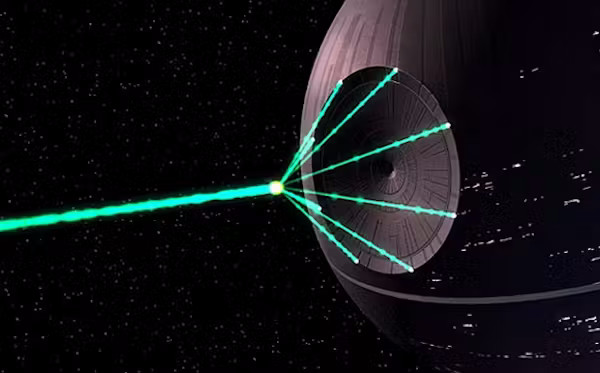
					Now any rational person would stop me right there and tell me to only create an easy solution to the actual problem and nothing more. Well too late! I&apos;m actually writing this a whole month later and I already completed this fully armed and operational battle-station!&lt;br /&gt;&lt;br /&gt;Because I wasn&apos;t just making this to solve a problem. And it wasn&apos;t purely for the sake of pride either. I had ideas for new experiments I wanted to try. And that&apos;s what truly motivated me.
				&lt;/p&gt;
				&lt;a href=&quot;https://humbird0.com/makes/misc/gallery_editor/readme/battle-station.jpg&quot;&gt;
					&lt;img src=&quot;https://humbird0.com/makes/misc/gallery_editor/readme/battle-station.jpg&quot; loading=&quot;lazy&quot; alt=&quot;battle station&quot; /&gt;
				&lt;/a&gt;
			&lt;/div&gt;
		</summary>
		<content type="xhtml">
			<div>
				<p>
					Now any rational person would stop me right there and tell me to only create an easy solution to the actual problem and nothing more. Well too late! I'm actually writing this a whole month later and I already completed this fully armed and operational battle-station!<br /><br />Because I wasn't just making this to solve a problem. And it wasn't purely for the sake of pride either. I had ideas for new experiments I wanted to try. And that's what truly motivated me.
				</p>
				<a href="https://humbird0.com/makes/misc/gallery_editor/readme/battle-station.jpg">
					<img src="https://humbird0.com/makes/misc/gallery_editor/readme/battle-station.jpg" loading="lazy" alt="battle station" />
				</a>
			</div>
		</content>
	</entry>


	<entry>
		<title>Gallery Editor</title>
		<id>tag:humbird0.com,2025-07-12T22:25:57Z:gallery-editor</id>
		<updated>2025-07-12T22:25:57Z</updated>

		<link rel="alternate" href="https://humbird0.com/makes/misc/gallery_editor/content.htm" />
		<category term="gallery-editor" />
		<summary type="html">
			&lt;div&gt;
				&lt;p&gt;
					Making something that resembles Windows turns out to be way more ambitious than you might assume. A folder is more than just a rectangle with pictures in it. It might look boring as hell but Windows is way more polished than you think. You can right-click and do things to the pictures. You can change the sorting order. There&apos;s a menu at the top to show new people all of the options that are possible. I&apos;m making this program for the sake of convenience so I am going to add *every* convenience I can possibly think of. I don&apos;t need them. I just want them.
				&lt;/p&gt;
			&lt;/div&gt;
		</summary>
		<content type="xhtml">
			<div>
				<p>
					Making something that resembles Windows turns out to be way more ambitious than you might assume. A folder is more than just a rectangle with pictures in it. It might look boring as hell but Windows is way more polished than you think. You can right-click and do things to the pictures. You can change the sorting order. There's a menu at the top to show new people all of the options that are possible. I'm making this program for the sake of convenience so I am going to add *every* convenience I can possibly think of. I don't need them. I just want them.
				</p>
			</div>
		</content>
	</entry>


	<entry>
		<title>Gallery Editor</title>
		<id>tag:humbird0.com,2025-07-12T22:25:23Z:gallery-editor</id>
		<updated>2025-07-12T22:25:23Z</updated>

		<link rel="alternate" href="https://humbird0.com/makes/misc/gallery_editor/content.htm" />
		<category term="gallery-editor" />
		<summary type="html">
			&lt;div&gt;
				&lt;p&gt;
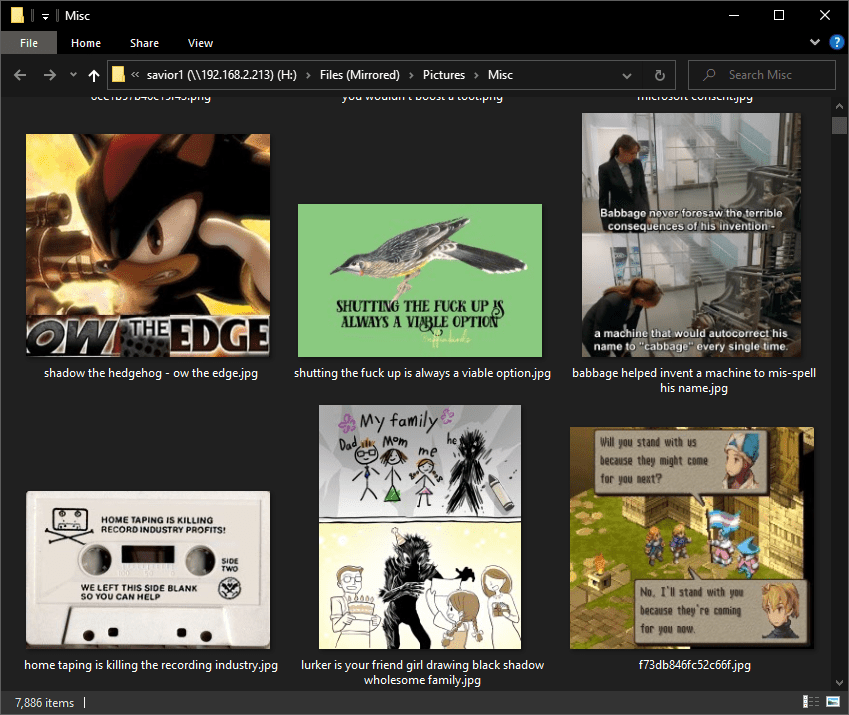
					The original program was just a linear sequence of steps. I would need to start over to make anything more ambitious. But what should this new program look like? Ideally an image gallery editor would look like, well, an image gallery. And then I realized the answer was already staring me in the face. Windows! An image gallery is really just a folder full of pictures anyway. So the most intuitive experience is to just drag and drop pictures into a &quot;folder&quot; and have it mostly act the same way you expect Windows to act, but with the extra thumbnail-generation and list-making stuff happening automatically in the background.
				&lt;/p&gt;
				&lt;a href=&quot;https://humbird0.com/makes/misc/gallery_editor/readme/windows.png&quot;&gt;
					&lt;img src=&quot;https://humbird0.com/makes/misc/gallery_editor/readme/windows.png&quot; loading=&quot;lazy&quot; alt=&quot;windows&quot; /&gt;
				&lt;/a&gt;
			&lt;/div&gt;
		</summary>
		<content type="xhtml">
			<div>
				<p>
					The original program was just a linear sequence of steps. I would need to start over to make anything more ambitious. But what should this new program look like? Ideally an image gallery editor would look like, well, an image gallery. And then I realized the answer was already staring me in the face. Windows! An image gallery is really just a folder full of pictures anyway. So the most intuitive experience is to just drag and drop pictures into a "folder" and have it mostly act the same way you expect Windows to act, but with the extra thumbnail-generation and list-making stuff happening automatically in the background.
				</p>
				<a href="https://humbird0.com/makes/misc/gallery_editor/readme/windows.png">
					<img src="https://humbird0.com/makes/misc/gallery_editor/readme/windows.png" loading="lazy" alt="windows" />
				</a>
			</div>
		</content>
	</entry>


	<entry>
		<title>Gallery Editor</title>
		<id>tag:humbird0.com,2025-07-12T22:25:07Z:gallery-editor</id>
		<updated>2025-07-12T22:25:07Z</updated>

		<link rel="alternate" href="https://humbird0.com/makes/misc/gallery_editor/content.htm" />
		<category term="gallery-editor" />
		<summary type="html">
			&lt;div&gt;
				&lt;p&gt;
					Making these minor changes manually from time to time is no big deal. They&apos;re quick and simple. But it would be *nice* if my convenient program could make that stuff convenient too. Besides I just couldn&apos;t escape the nagging guilt that any program that requires you to text files by hand is, by definition, an incomplete program and a crappy experience for anybody who isn&apos;t the original programmer. I knew could do better, and my pride wasn&apos;t going to leave me alone until I did.
				&lt;/p&gt;
				&lt;a href=&quot;https://humbird0.com/makes/misc/gallery_editor/readme/again-but-better.jpg&quot;&gt;
					&lt;img src=&quot;https://humbird0.com/makes/misc/gallery_editor/readme/again-but-better.jpg&quot; loading=&quot;lazy&quot; alt=&quot;again but better&quot; /&gt;
				&lt;/a&gt;
			&lt;/div&gt;
		</summary>
		<content type="xhtml">
			<div>
				<p>
					Making these minor changes manually from time to time is no big deal. They're quick and simple. But it would be *nice* if my convenient program could make that stuff convenient too. Besides I just couldn't escape the nagging guilt that any program that requires you to text files by hand is, by definition, an incomplete program and a crappy experience for anybody who isn't the original programmer. I knew could do better, and my pride wasn't going to leave me alone until I did.
				</p>
				<a href="https://humbird0.com/makes/misc/gallery_editor/readme/again-but-better.jpg">
					<img src="https://humbird0.com/makes/misc/gallery_editor/readme/again-but-better.jpg" loading="lazy" alt="again but better" />
				</a>
			</div>
		</content>
	</entry>


	<entry>
		<title>Gallery Editor</title>
		<id>tag:humbird0.com,2025-07-12T22:23:58Z:gallery-editor</id>
		<updated>2025-07-12T22:23:58Z</updated>

		<link rel="alternate" href="https://humbird0.com/makes/misc/gallery_editor/content.htm" />
		<category term="gallery-editor" />
		<summary type="html">
			&lt;div&gt;
				&lt;p&gt;
					Well the thing is... that was the *only* thing it did. Sure I could drag and drop a picture onto that program and it would automagically add pictures to the website... one... at... a... time. But I was often running into situations where I wanted to modify pictures that were already added. Sometimes the program would make wrong guesses about which file format I wanted the pictures to be. **(For the love of god NEVER compress pixel-art with JPEG!!)**
				&lt;/p&gt;
				&lt;a href=&quot;https://humbird0.com/makes/misc/gallery_editor/readme/pixel-art-jpg.jpg&quot;&gt;
					&lt;img src=&quot;https://humbird0.com/makes/misc/gallery_editor/readme/pixel-art-jpg.jpg&quot; loading=&quot;lazy&quot; alt=&quot;pixel art jpg&quot; /&gt;
				&lt;/a&gt;
			&lt;/div&gt;
		</summary>
		<content type="xhtml">
			<div>
				<p>
					Well the thing is... that was the *only* thing it did. Sure I could drag and drop a picture onto that program and it would automagically add pictures to the website... one... at... a... time. But I was often running into situations where I wanted to modify pictures that were already added. Sometimes the program would make wrong guesses about which file format I wanted the pictures to be. **(For the love of god NEVER compress pixel-art with JPEG!!)**
				</p>
				<a href="https://humbird0.com/makes/misc/gallery_editor/readme/pixel-art-jpg.jpg">
					<img src="https://humbird0.com/makes/misc/gallery_editor/readme/pixel-art-jpg.jpg" loading="lazy" alt="pixel art jpg" />
				</a>
			</div>
		</content>
	</entry>


	<entry>
		<title>Gallery Editor</title>
		<id>tag:humbird0.com,2025-07-12T22:23:02Z:gallery-editor</id>
		<updated>2025-07-12T22:23:02Z</updated>

		<link rel="alternate" href="https://humbird0.com/makes/misc/gallery_editor/content.htm" />
		<category term="gallery-editor" />
		<summary type="html">
			&lt;div&gt;
				&lt;p&gt;
					I built an easy and convenient editor for my website&apos;s &quot;favorite pictures&quot; gallery. Actually I over-engineered the hell out of this thing. I was just having way too much fun! It supports pictures, videos, and animated GIF&apos;s.&lt;br /&gt;&lt;br /&gt;In hindsight I should have been keeping a running log while I was making this, because I ended up spending a full month on this thing. That wasn&apos;t the plan, but time flies when you&apos;re having fun!&lt;br /&gt;&lt;br /&gt;But what *was* the plan anyway? After all I had already finished making another program earlier that did the same thing. Easily adding pictures to the gallery. Why did I need another one?
				&lt;/p&gt;
				&lt;a href=&quot;https://humbird0.com/makes/misc/gallery_editor/readme/stayed-up-late.jpg&quot;&gt;
					&lt;img src=&quot;https://humbird0.com/makes/misc/gallery_editor/readme/stayed-up-late.jpg&quot; loading=&quot;lazy&quot; alt=&quot;stayed up late&quot; /&gt;
				&lt;/a&gt;
			&lt;/div&gt;
		</summary>
		<content type="xhtml">
			<div>
				<p>
					I built an easy and convenient editor for my website's "favorite pictures" gallery. Actually I over-engineered the hell out of this thing. I was just having way too much fun! It supports pictures, videos, and animated GIF's.<br /><br />In hindsight I should have been keeping a running log while I was making this, because I ended up spending a full month on this thing. That wasn't the plan, but time flies when you're having fun!<br /><br />But what *was* the plan anyway? After all I had already finished making another program earlier that did the same thing. Easily adding pictures to the gallery. Why did I need another one?
				</p>
				<a href="https://humbird0.com/makes/misc/gallery_editor/readme/stayed-up-late.jpg">
					<img src="https://humbird0.com/makes/misc/gallery_editor/readme/stayed-up-late.jpg" loading="lazy" alt="stayed up late" />
				</a>
			</div>
		</content>
	</entry>

</feed>